

ClickUp vs Notion — Which Wins for Small Teams?
Rafael Zacheu
5 min read
Disclosure: This page contains affiliate links. As an Amazon Associate I earn from qualifying purchases. If you purchase through one of these links, I earn a commission at no extra cost to you. I only recommend products I genuinely believe in.
ClickUp and Notion both promise to replace every other tool in your stack. Both have been saying this for years. After using both in real small business contexts — not demos, not trials, but actual client work tracked over months — here's the honest comparison that their marketing pages won't give you.
The Core Difference
Notion is a document and knowledge base tool that added task management. ClickUp is a project management tool that added documents. That origin story matters more than any feature list, because it shapes every design decision both teams have made.
When you open ClickUp, you see tasks. When you open Notion, you see pages. Neither is wrong — but they're built around fundamentally different assumptions about how work gets done. The question isn't which tool has more features; it's which assumption matches how your business actually operates.
Feature Comparison
| Feature | ClickUp | Notion |
|---|---|---|
| Free Plan | ✓ | ✓ |
| Starting Paid Price | $7/user/mo | $10/user/mo |
| Task Management | Advanced | Basic |
| Time Tracking | ✓ | ✗ |
| Knowledge Base / Docs | Good | Excellent |
| Databases / Tables | Good | Excellent |
| Automations | Advanced | Basic |
| Mobile App Quality | Good | Good |
| Learning Curve | Steep | Moderate |
| AI Features | ✓ | ✓ |
ClickUp — Best for Operations-Heavy Teams

Best project management for operations teams · clickup.com
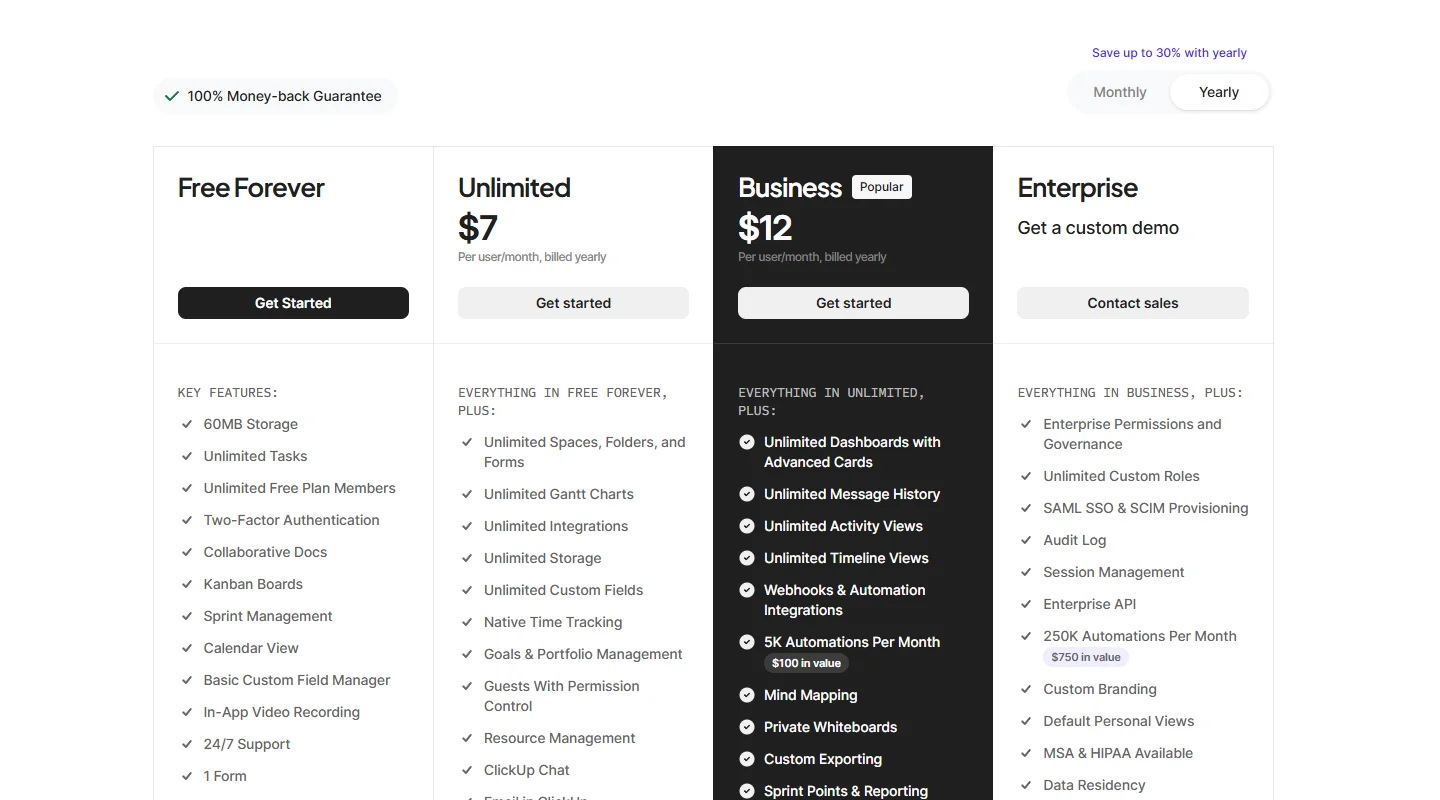
ClickUp is built around tasks, deadlines, and accountability — and it shows in every part of the interface. The hierarchy (Workspace → Space → Folder → List → Task) gives you fine-grained control over how work is organized and who is responsible for what. Multiple views (List, Board, Calendar, Gantt, Timeline) let different team members see the same work in the format that makes sense for their role, without duplicating anything.
Here's a scenario where ClickUp wins clearly: a five-person marketing agency managing ten active clients. Each client has deliverables with deadlines, multiple contributors, and recurring tasks (monthly reports, weekly calls). ClickUp handles all of that natively — recurring task creation, status automations, time tracking per client for billing purposes. Setting this up takes a week. Maintaining it takes almost no effort once it's running.
The automation capabilities at the paid tier are genuinely strong. You can automate: when a task moves to "In Review," assign it to the appropriate reviewer; when a task is overdue, send a Slack message to the assignee; when a new client space is created, generate a standard set of onboarding tasks. For any business with predictable, repeatable workflows, these automations save hours per week.
The free plan is the most generous in the category — unlimited tasks, unlimited members, 100MB storage. Most small teams can run on the free plan for months before hitting a real constraint. The Unlimited plan at $7/user/month adds unlimited storage, time tracking, and removes feature restrictions.
Honest downside: ClickUp has a steep learning curve. The breadth of features that makes it powerful also makes it overwhelming for new users. Most teams I've seen adopt ClickUp use 20–25% of its functionality for the first three months. New users need 2–3 weeks before the tool feels natural, and someone on the team needs to take ownership of setting it up correctly — otherwise it becomes a messy list of tasks that nobody trusts.
Get ClickUp FreeNotion — Best for Knowledge-Driven Teams

Best for knowledge-driven and document-heavy teams · notion.com
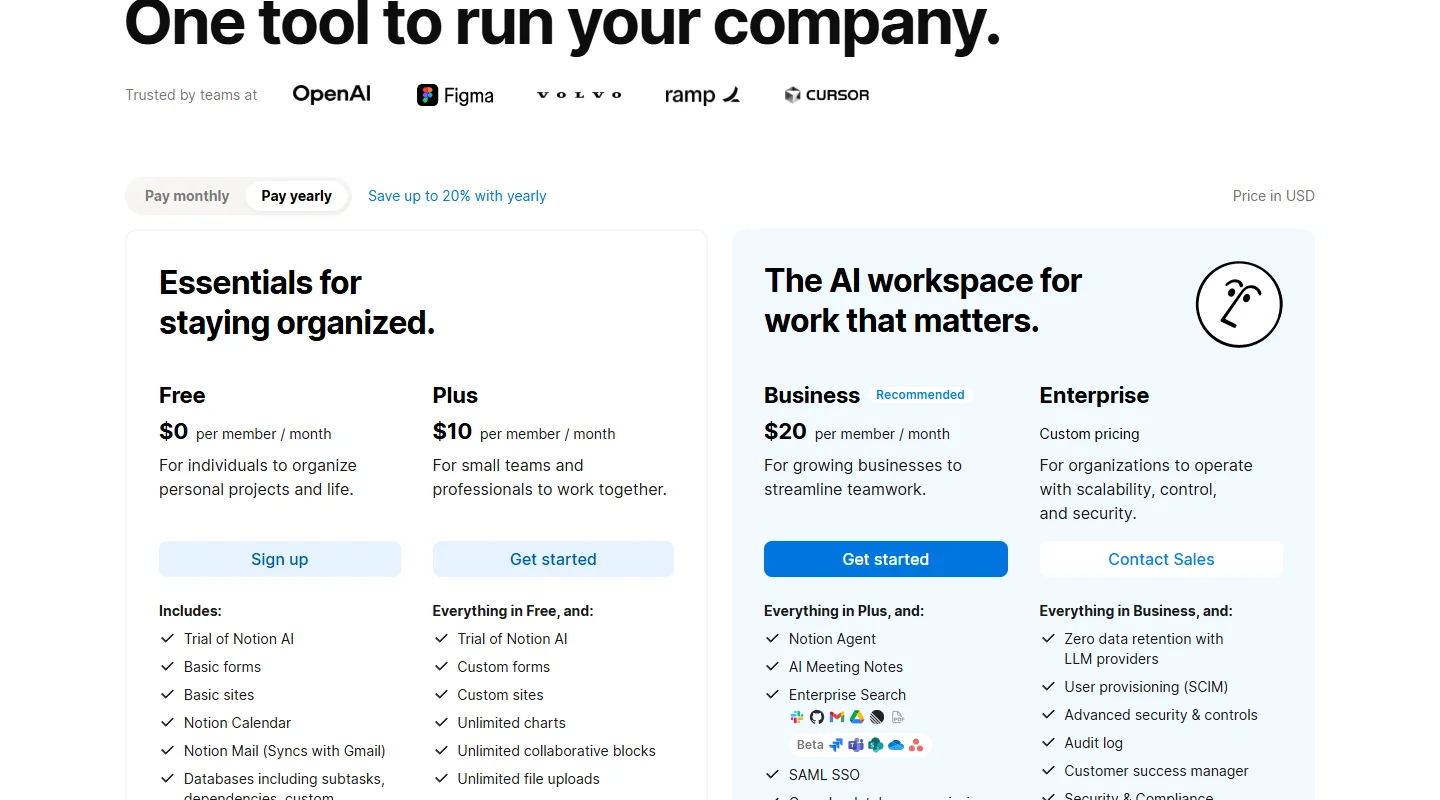
Notion's strength is structural flexibility in document creation. The block-based editor handles text, tables, databases, kanban boards, calendars, and embeds — all within the same page. For a business that runs on documented processes, templates, and shared knowledge — SOPs, client briefs, meeting notes, research, wikis — Notion is genuinely the best tool available at any price.
Here's the scenario where Notion wins clearly: a two-person consulting firm that needs a shared workspace where both partners can access client notes, meeting summaries, proposal templates, and research. Setting up a Notion workspace for this takes a few hours. Once it's running, everything is in one place, easily searchable, and structured exactly the way the team works.
The database functionality is the most powerful feature for knowledge-heavy work. You can build a client database with linked properties — linked to project pages, linked to invoice records, linked to meeting notes — and filter or view that data in multiple ways. For a CRM-lite use case, Notion handles this surprisingly well without requiring a separate tool.
The Notion AI integration (an add-on at $8–10/user/month) is useful for summarizing long documents, answering questions about workspace content, and generating first drafts from templates. If your team generates a lot of notes and documentation, the AI's ability to surface relevant information from your own workspace is genuinely useful.
Honest downside: Task management in Notion is functional but not intuitive. There's no native time tracking. Tracking who is responsible for what across multiple active projects requires setup and discipline — it doesn't come naturally from the tool's structure. Many teams end up using Notion for documentation and a separate tool for task tracking, which somewhat defeats the "replace everything" pitch.
Which Should You Choose?
This is genuinely a question about what your work looks like day-to-day, not about feature counts.
Choose ClickUp if:
- Your work is organized around tasks, projects, and deadlines
- You need to track time against clients or projects for billing
- You manage recurring workflows (client onboarding, content calendars, service delivery processes)
- You want strong automations without paying for a separate tool
Choose Notion if:
- Your team primarily creates and references documents, SOPs, and structured knowledge
- You want a single place for wikis, meeting notes, research, and templates
- You need flexible database views to manage information (not tasks)
- Your team skews toward writers, researchers, or knowledge workers
The honest answer for most small teams: both have free plans that are genuinely useful. Run your actual workflow in each for two weeks before committing. You'll know immediately which one fits how your team thinks.
Start ClickUp Free TrialTags: