

Best AI Writing Tools for Small Business in 2026
Rafael Zacheu
6 min read
Disclosure: This page contains affiliate links. As an Amazon Associate I earn from qualifying purchases. If you purchase through one of these links, I earn a commission at no extra cost to you. I only recommend products I genuinely believe in.
Everyone and their dog has a "best AI writing tools" list. Most of them were written by someone who signed up for a free trial, copied the features page, and called it a review. This one is different — I ran the same 500-word blog post prompt through each tool, tested pricing page accuracy, and asked one question throughout: would a small business owner with no marketing background actually get value out of this?
Here's what I found.
The Short Answer
Rytr if you publish more than you have budget. Writesonic if content is your growth engine and you want data behind your decisions. Grammarly if you already write well and just need the friction removed. Copy.ai if you're running paid campaigns and need copy variants fast. ChatGPT and Claude if you want raw capability and you're willing to build your own workflow around it.
Now the full breakdown.
Pricing Comparison (What You Actually Pay in 2026)
| Tool | Free Plan | Cheapest Paid | Mid Tier | Best For |
|---|---|---|---|---|
| Rytr | 10K chars/mo | $7.50/mo | $24.16/mo | Budget, solo creators |
| Grammarly | Yes (basic) | $12/mo | — | Editing + polish |
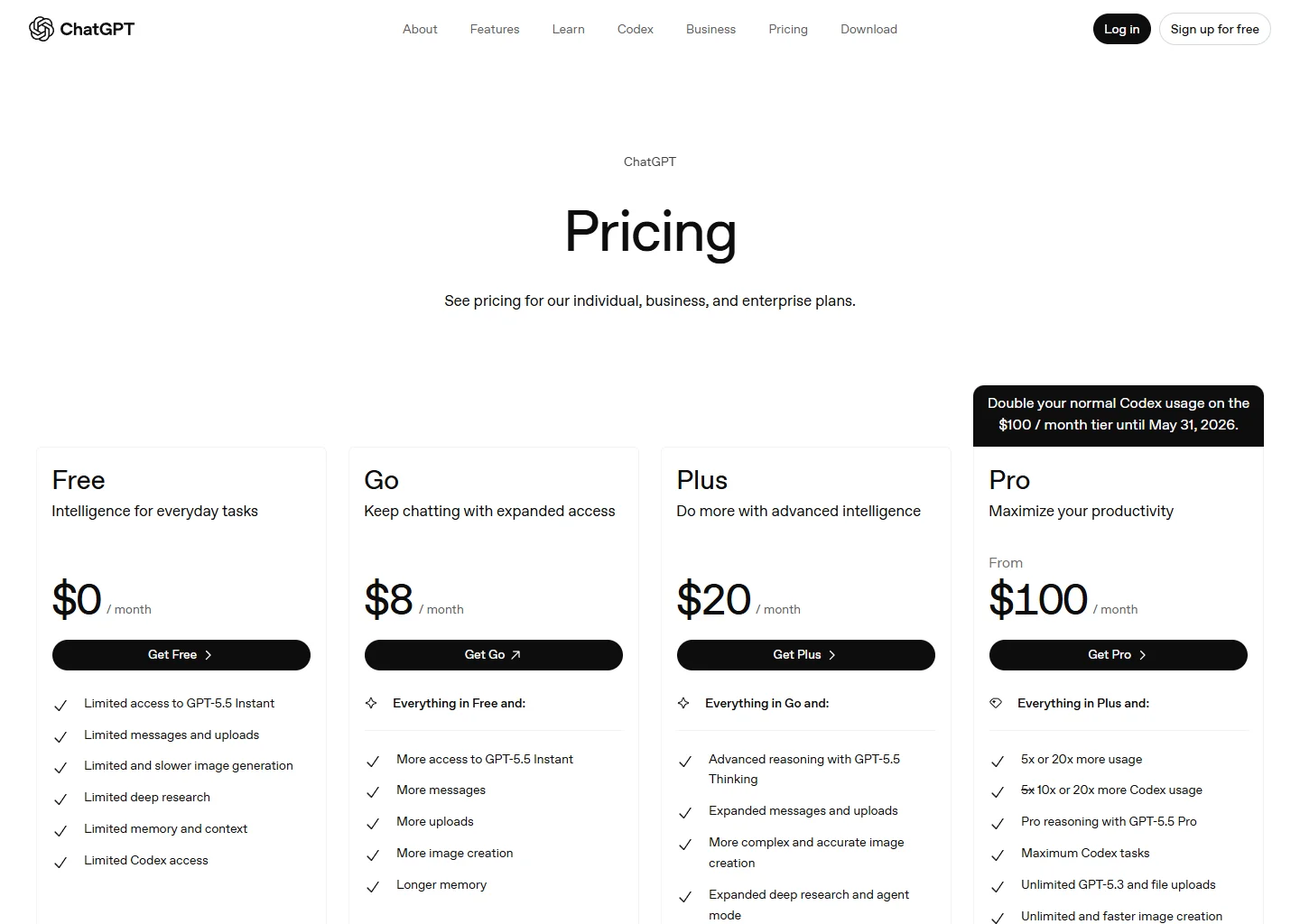
| ChatGPT Plus | Yes (limited) | $20/mo | $25/seat/mo (Team) | Flexibility, research |
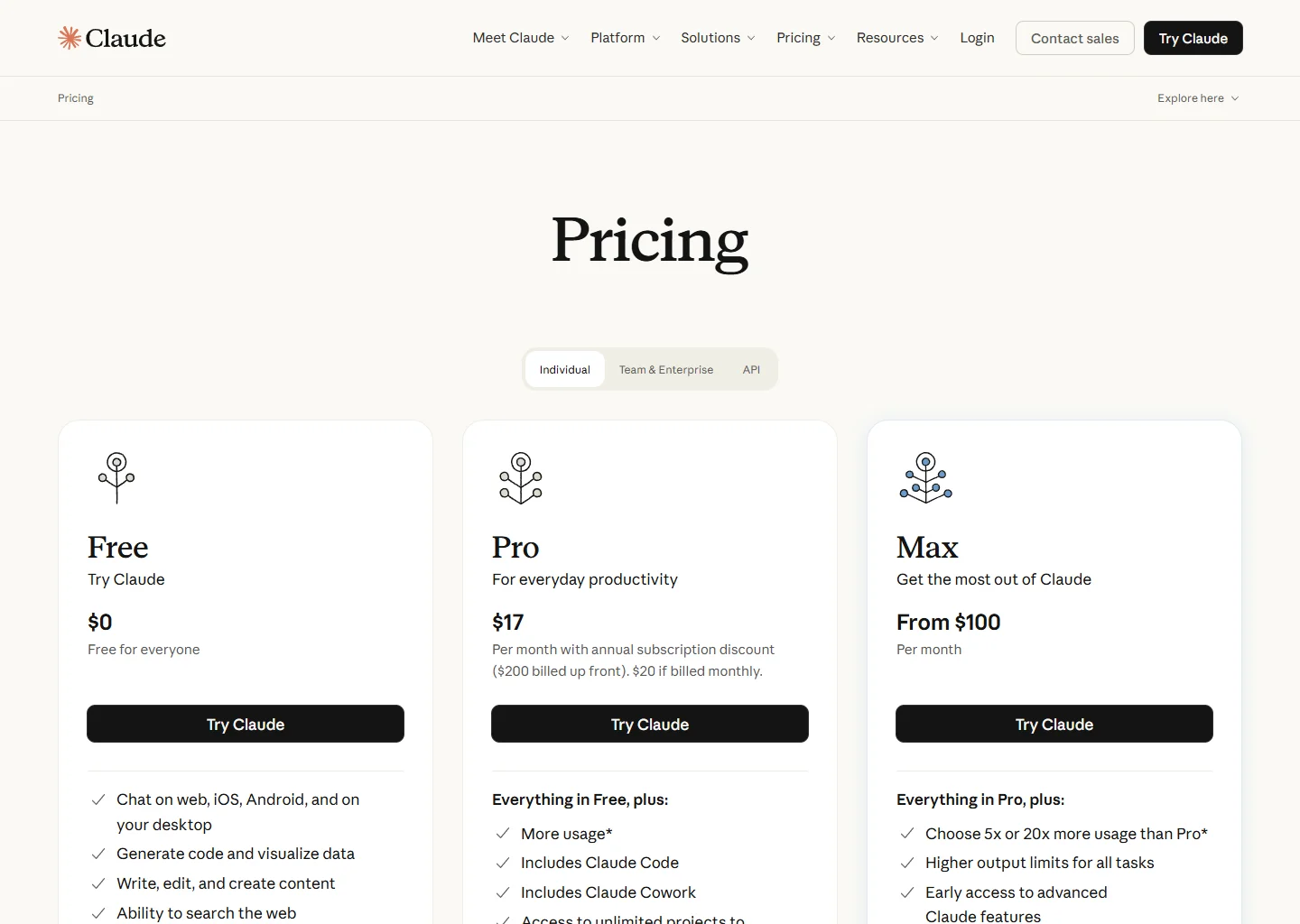
| Claude Pro | Yes (limited) | $17/mo (annual) | $100+/mo (Max) | Long-form, reasoning |
| Copy.ai | No | $29/mo | Enterprise (custom) | Short-form copy, teams |
| Writesonic | Yes (limited) | $79/mo | $199/mo | Businesses, SEO content |
One thing worth flagging on Writesonic: this is no longer a $20/mo writing assistant. After their pivot toward AI Search Visibility, the $79/mo Starter is a business-grade platform. If you're a solo creator comparing it to Rytr, you're comparing the wrong things — they're targeting different problems entirely now.
1. Rytr — Best Budget Option

Best budget AI writing tool · rytr.me
Plans: Free (10K chars/mo), Unlimited ($7.50/mo), Premium ($24.16/mo)
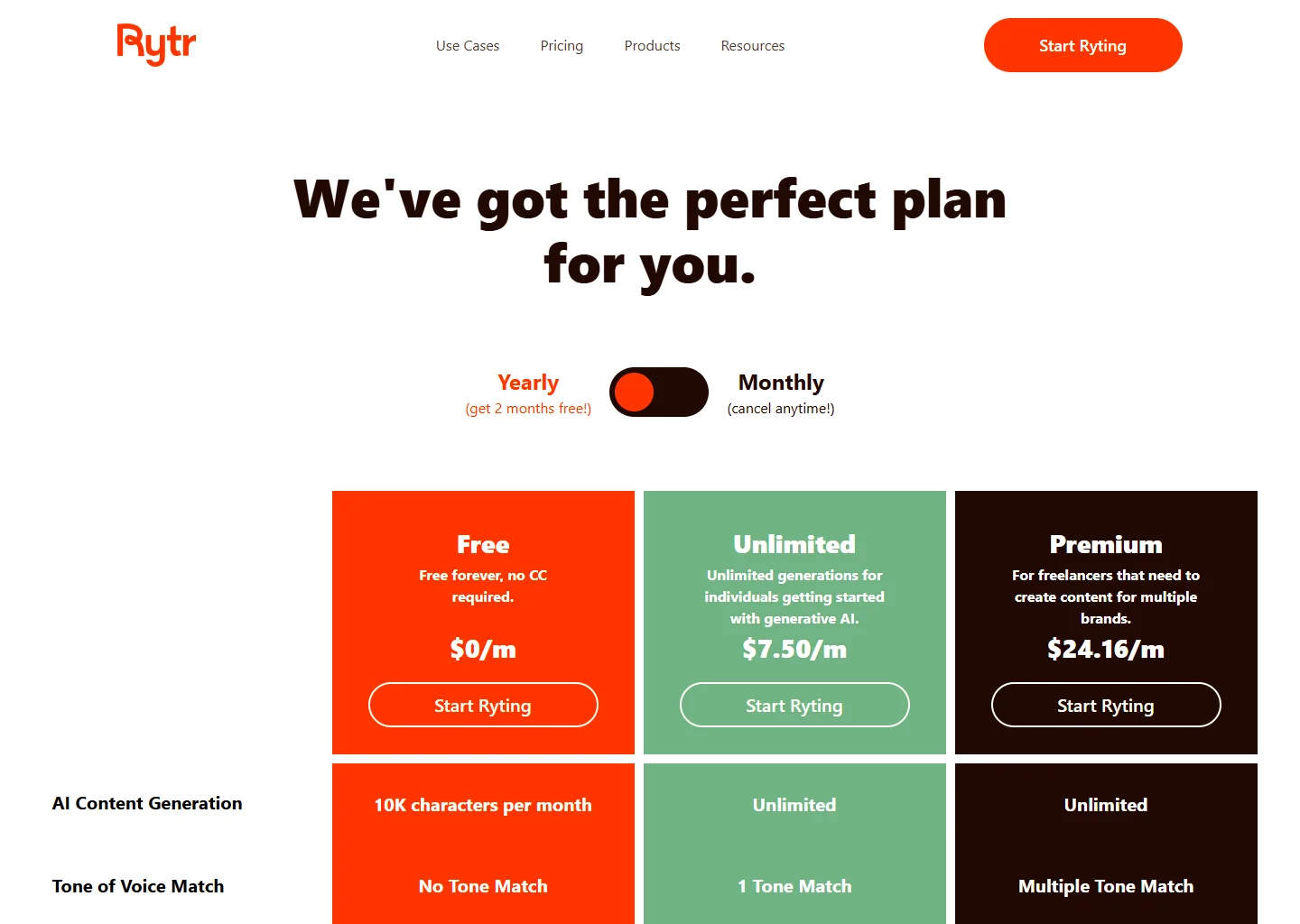
Rytr works best when you treat it as a section-generator, not an article-generator. I ran a 500-word "5 tips for local SEO" prompt through the Unlimited plan — it gave me five decent sections, each about 80–100 words, all of which needed editing but none of which needed to be thrown away. That's the right mental model: usable raw material, not finished content.
Where it specifically delivers: email subject lines (it generated 10 variants in under 30 seconds, three of which I'd actually send), product descriptions for e-commerce, and social media captions where you need volume quickly.
Where it falls apart: anything requiring a consistent argument over 800 words. Ask Rytr for a 1,500-word blog post and you get five disconnected sections that contradict each other by paragraph three. The tool doesn't hold context across a long piece. The fix: outline the article yourself, then ask Rytr to draft each section independently.
The honest price-to-output ratio: At $7.50/month for unlimited generation, nothing on this list comes close. The output requires a real editing pass, but if you're publishing twice a week and you're budget-constrained, this is the tool that makes that frequency sustainable.
Try Rytr Free2. Grammarly Pro — Best for Writers Who Already Write

AI editor for writers who already write · grammarly.com
Plans: Free (basic), Pro ($12/mo), Enterprise (custom)
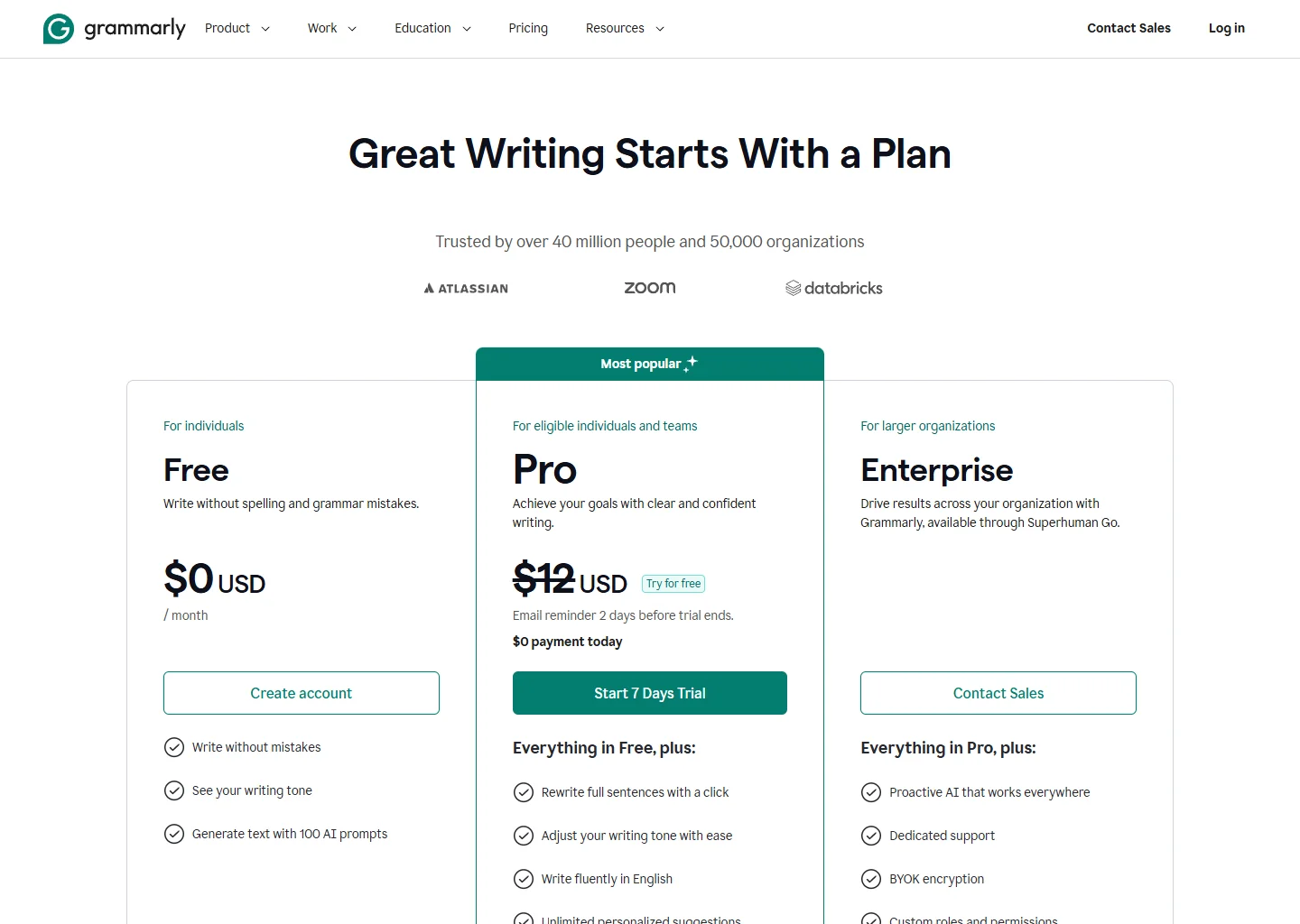
Grammarly is not a content generator. I want to be explicit about this because half the people who try it and get disappointed were expecting the wrong thing. You bring the draft. Grammarly makes it better. If you can't write a coherent paragraph on your own, this tool won't cover for that.
What it actually does well: it catches the subtle stuff. Not just grammar errors — tone mismatches, passive voice that kills authority, sentences that are technically correct but read awkwardly. I ran a client proposal through Grammarly Pro and it flagged three sentences that were grammatically fine but sounded defensive. That's the kind of catch that matters when you're trying to close a deal.
The GrammarlyGO rewrite feature (2,000 prompts/month in Pro) handles paragraph-level rewrites in context. You highlight an awkward sentence, click "rewrite," and get three alternatives. In practice I use this more than any other AI writing feature — not "write this for me" but "this sentence is bad and I don't want to spend five minutes fixing it."
What no other tool on this list has: native integration with Gmail, Google Docs, and LinkedIn. Grammarly works where you're already writing — no copy-pasting into a separate tool. That alone is worth $12/month for anyone who sends more than 20 business emails a week.
Who shouldn't buy it: Anyone generating AI content and publishing with minimal editing. Grammarly is a finishing tool. It cannot fix content that's fundamentally hollow.
3. ChatGPT Plus — Best General-Purpose Workhorse

Most versatile AI — handles anything · chatgpt.com
Plans: Free (limited), Go ($8/mo), Plus ($20/mo), Team ($25/seat/mo), Pro ($200/mo)
The thing most people miss about ChatGPT is that it's not a writing tool — it's a reasoning tool that can write. That distinction matters for how you use it. Dedicated writing tools have templates, tone settings, and a guided workflow. ChatGPT has none of that, and that's the point. You build your own workflow.
Practical example: I used ChatGPT Plus to research and outline a comparison article on local SEO tools. I fed it three competitor articles, asked it to identify the angles they all missed, then had it build an outline addressing those gaps. That process took 20 minutes and produced a genuinely differentiated structure. No dedicated writing tool on this list handles that kind of multi-step research synthesis.
The web browsing feature (included in Plus) is also practically useful for content work — checking current pricing, finding recent stats, verifying product updates before you publish.
The real weakness: ChatGPT guides you toward nothing. There's no "write a blog post for my plumbing business" template. You get exactly as much structure as you bring. New users often generate mediocre output not because the tool is bad but because their prompts are vague. Learning to prompt effectively takes 2–4 weeks of regular use.
No affiliate program.
4. Claude Pro — Best for Long-Form and Nuanced Content

Best for long-form and complex prompts · claude.com
Plans: Free (limited), Pro ($17/mo annual / $20/mo monthly), Max (from $100/mo)
Full disclosure: this site is built with Claude Code. That said, this opinion is based on actual use for content work, not loyalty.
Claude handles long-context work better than anything else at this price. The 200K token context window means you can paste in a full competitor article, your research notes, and a style guide, then ask it to write something original that addresses what the competitor missed. I've tested this against ChatGPT with identical inputs — Claude's output was noticeably more coherent and followed the style guide more accurately over long pieces.
Where Claude specifically outperforms ChatGPT for content: instruction-following. If you give Claude a detailed brief ("write in second person, no bullet lists, short paragraphs, cite skepticism where appropriate, never use the word 'leverage'"), it follows it reliably across a long piece. ChatGPT tends to drift from instructions after the first few paragraphs.
The honest limitation: no image generation, no DALL-E equivalent, limited third-party integrations. If your workflow includes creating social graphics or you rely heavily on plugins, ChatGPT Plus is more practical. Claude is the better writing engine; ChatGPT is the better all-around platform.
No affiliate program.
5. Copy.ai — Best for Short-Form Marketing Copy

Best for short-form marketing copy · copy.ai
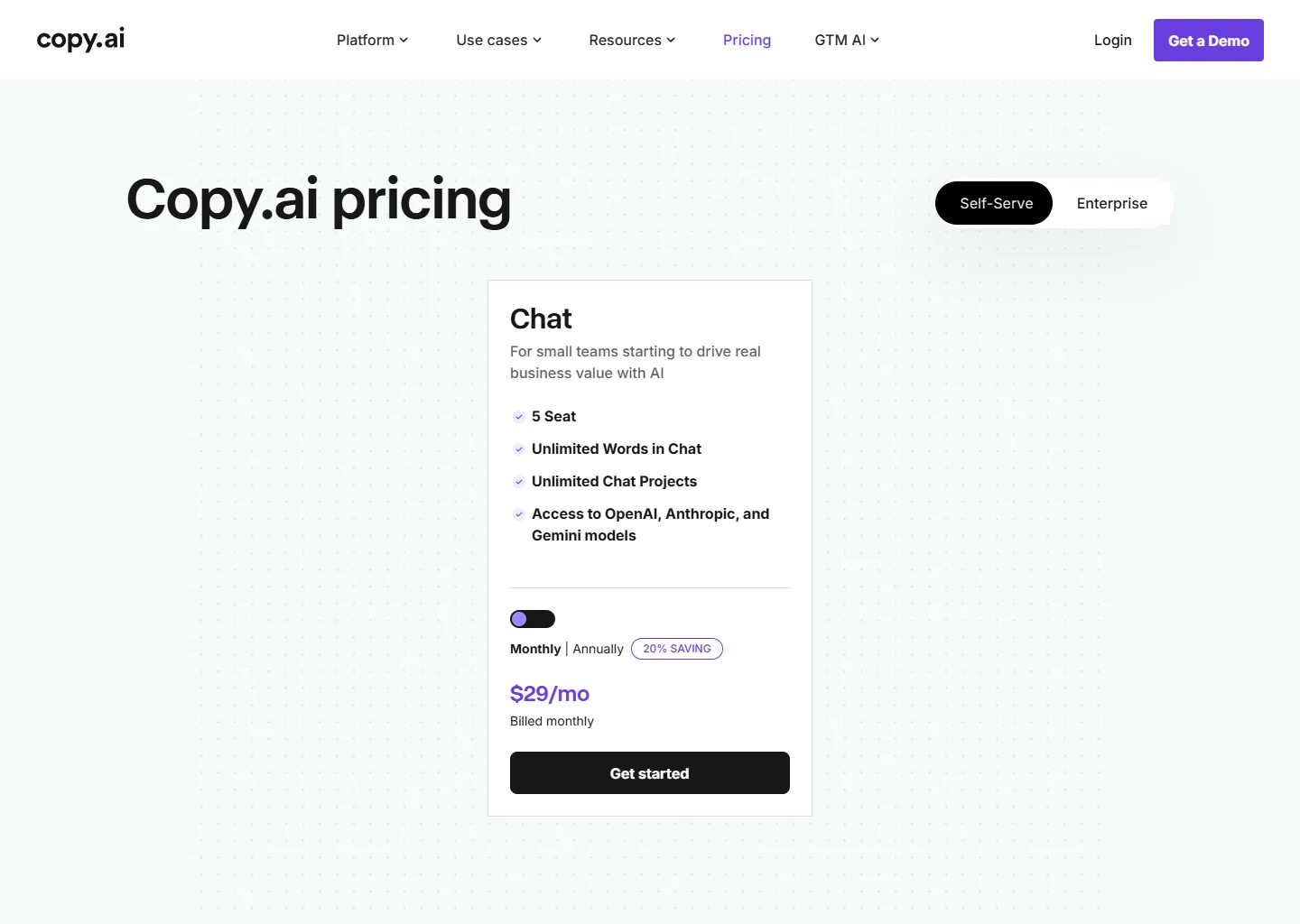
Plans: Chat ($29/mo), Enterprise (custom)
Copy.ai earned its reputation on one use case: generating multiple short-form copy variants fast. If you're running Google Ads and need 10 headline variants to A/B test, or managing five social accounts and need captions for the same product in five different tones, Copy.ai is the fastest path to usable options.
The campaign workflow feature is genuinely differentiated. You define the goal (drive demo bookings), the audience (SaaS founders), and the channel (LinkedIn), and it generates a full set of copy variants — post caption, ad headline, email subject line, CTA — all calibrated to the same campaign. For a marketing team running multiple simultaneous campaigns, this saves hours per week compared to prompting ChatGPT from scratch each time.
The real problem right now: there's no mid-tier. It's $29/month or enterprise. For a solo operator, $29/month for primarily a short-form copy tool is a harder sell than it used to be — especially since ChatGPT and Claude can do the same thing if you know how to prompt them. Copy.ai's value is in speed and structure, not raw output quality.
Worth it if: you're running paid acquisition and need copy volume. One ad test that lifts conversion by 10% pays for a year of Copy.ai subscriptions.
6. Writesonic — Best for Content-Driven Businesses

Best for SEO-driven content operations · writesonic.com
Plans: Free (limited), Starter ($79/mo), Basic ($199/mo), Growth ($399/mo)
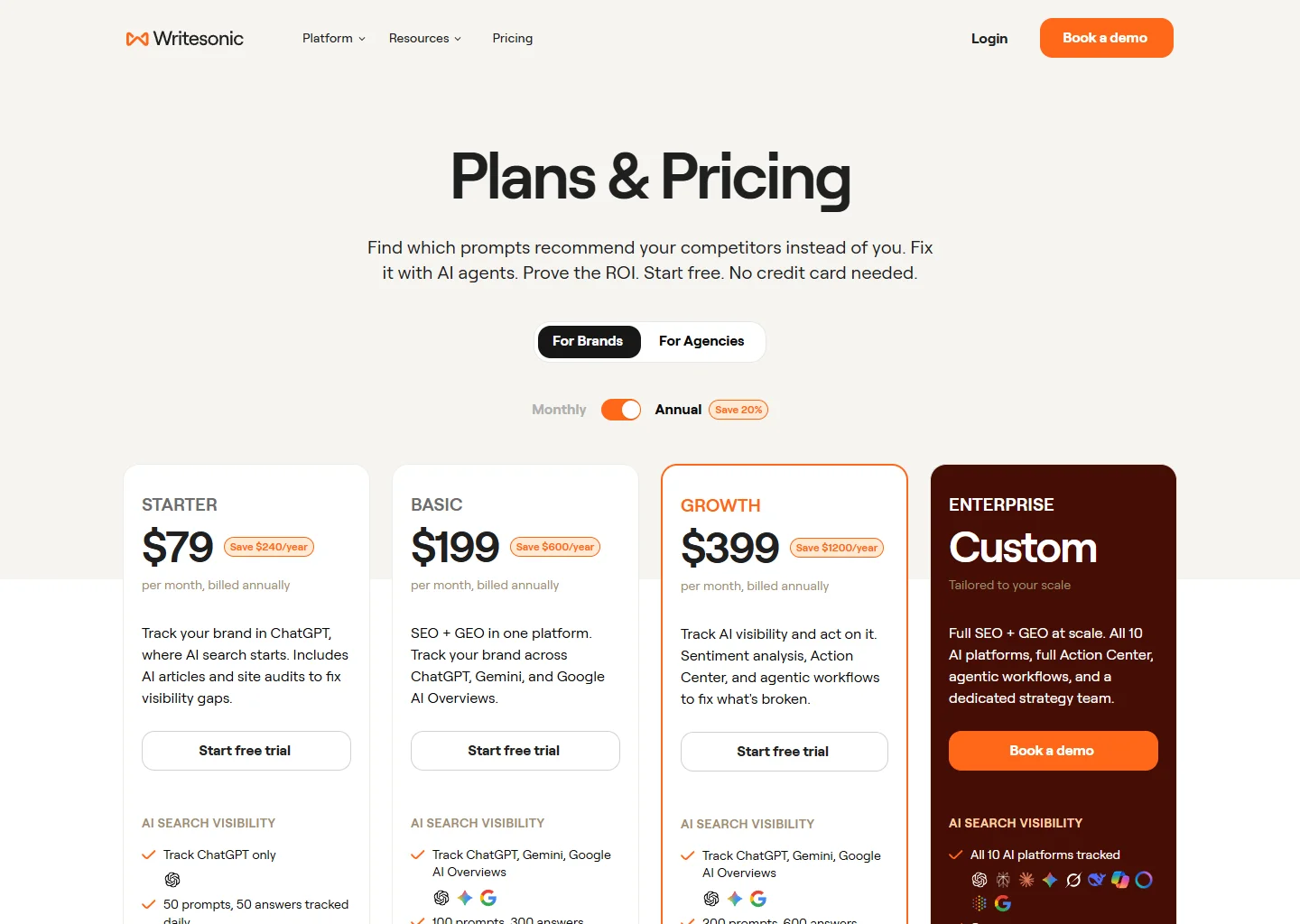
Writesonic is the only tool on this list I'd describe as a business intelligence platform that also writes. The AI Search Visibility feature tracks how your brand appears in ChatGPT, Gemini, and Google AI Overviews — so it tells you not just whether you rank in Google, but whether AI systems are citing your content when users ask relevant questions.
Concrete scenario: you sell accounting software to small businesses. Writesonic can show whether, when someone asks ChatGPT "what's the best accounting software for a ten-person team," your product comes up — and if it doesn't, it helps you identify what content you need to create to change that. That's a genuinely new capability.
Who this is actually for: Content marketing teams at established businesses with organic search as a defined growth channel. Not a solo creator. Not someone experimenting. If you're not already publishing content and measuring its impact on traffic, this tool won't fix that — it'll just tell you how far behind you are.
No credit card needed for the trial — run your actual brand through it before committing.
Head-to-Head: Budget vs. Power
| Feature | Rytr ($7.50/mo) | Writesonic ($79/mo) |
|---|---|---|
| Free Plan | ✓ | ✓ |
| Monthly Cost | $7.50 | $79 |
| Output Limit | Unlimited chars | 15 articles/mo |
| SEO Optimization | ✗ | ✓ |
| Long-Form Quality | Basic | Strong |
| AI Search Visibility | ✗ | ✓ |
| Languages Supported | 35+ | 25+ |
| No Credit Card Trial | ✗ | ✓ |
The Bottom Line
The mistake I see most often: people buy a tool before they've established a publishing rhythm. The tool doesn't create the habit — you do. Start with the free tier of whatever fits your use case, publish consistently for 60 days, then upgrade based on what you've actually hit the ceiling on.
If you're a writer who needs assistance: Grammarly Pro ($12/mo) removes friction from your existing process. Add Claude Pro ($20/mo) for complex drafts. Total: $32/month for a stack that won't make your content sound like a robot wrote it.
If you're running content as a growth channel: Writesonic ($79/mo) is the only tool here built for that end-to-end. The AI Search Visibility data alone justifies the premium if organic traffic is a real business goal.
If you're budget-constrained and just getting started: Rytr ($7.50/mo) plus ChatGPT Free gives you more capability than most people use, at almost no cost. Start here, build the habit, upgrade when you've actually hit a real ceiling.
Tags: